
Image aspect ratio controls the width and height balance of images in WordPress galleries. It helps keep images consistent in shape. Proper aspect ratio settings prevent image distortion and create a clean, organized, and professional gallery layout.
Let’s take a look at how to set image aspect ratio in WordPress galleries.
Setting Image Aspect Ratio in WordPress Galleries #
Let’s first create a gallery with the Galleryberg plugin. Once the gallery is ready, you can set the aspect ratio for its images.

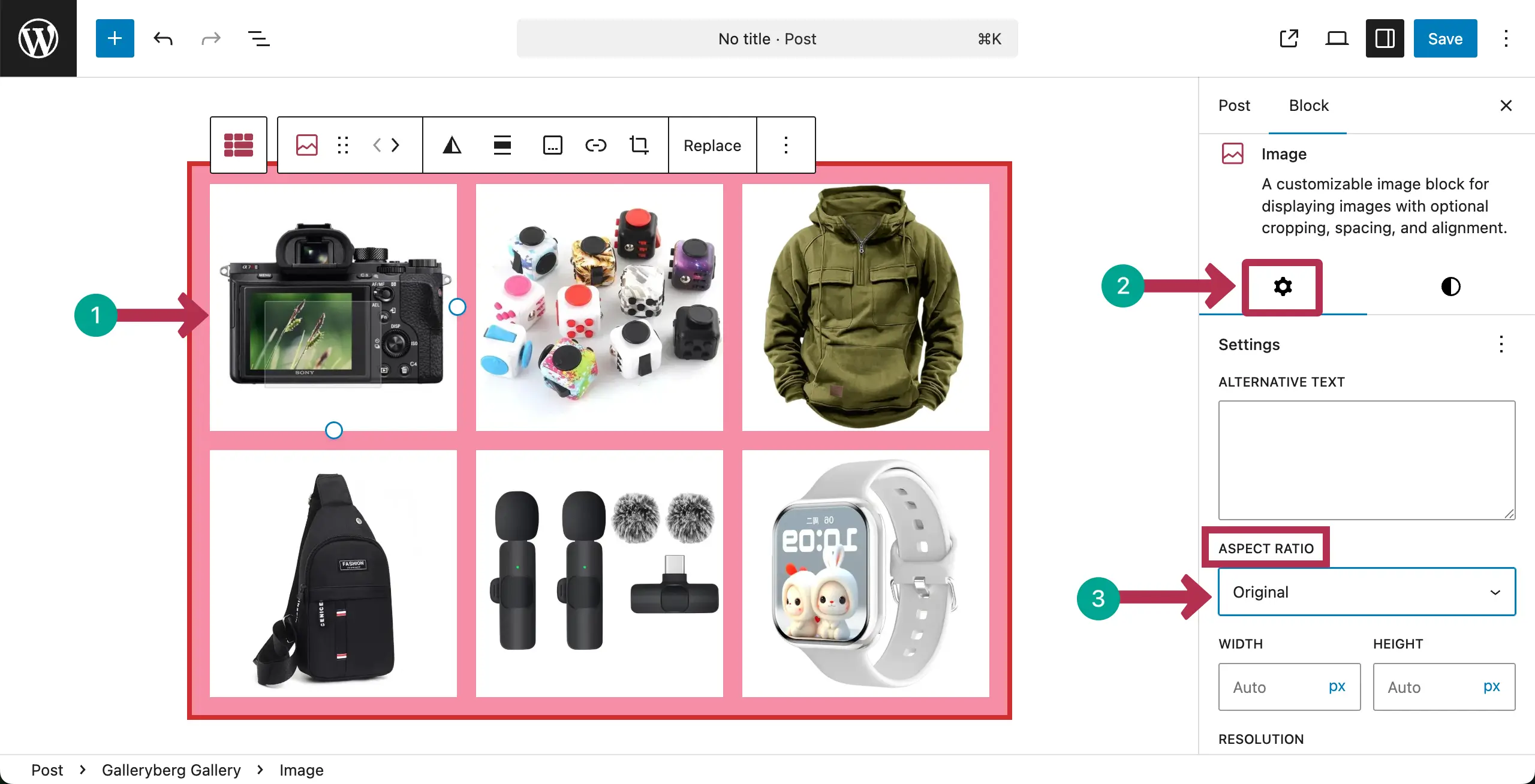
You have to set aspect ratios for the images individually. So, select an image.
Then, go to the Settings tab on the right sidebar. Find the Aspect Ratio option. Click the dropdown list.
A list of aspect ratio options will appear. Choose the option you like for the image.
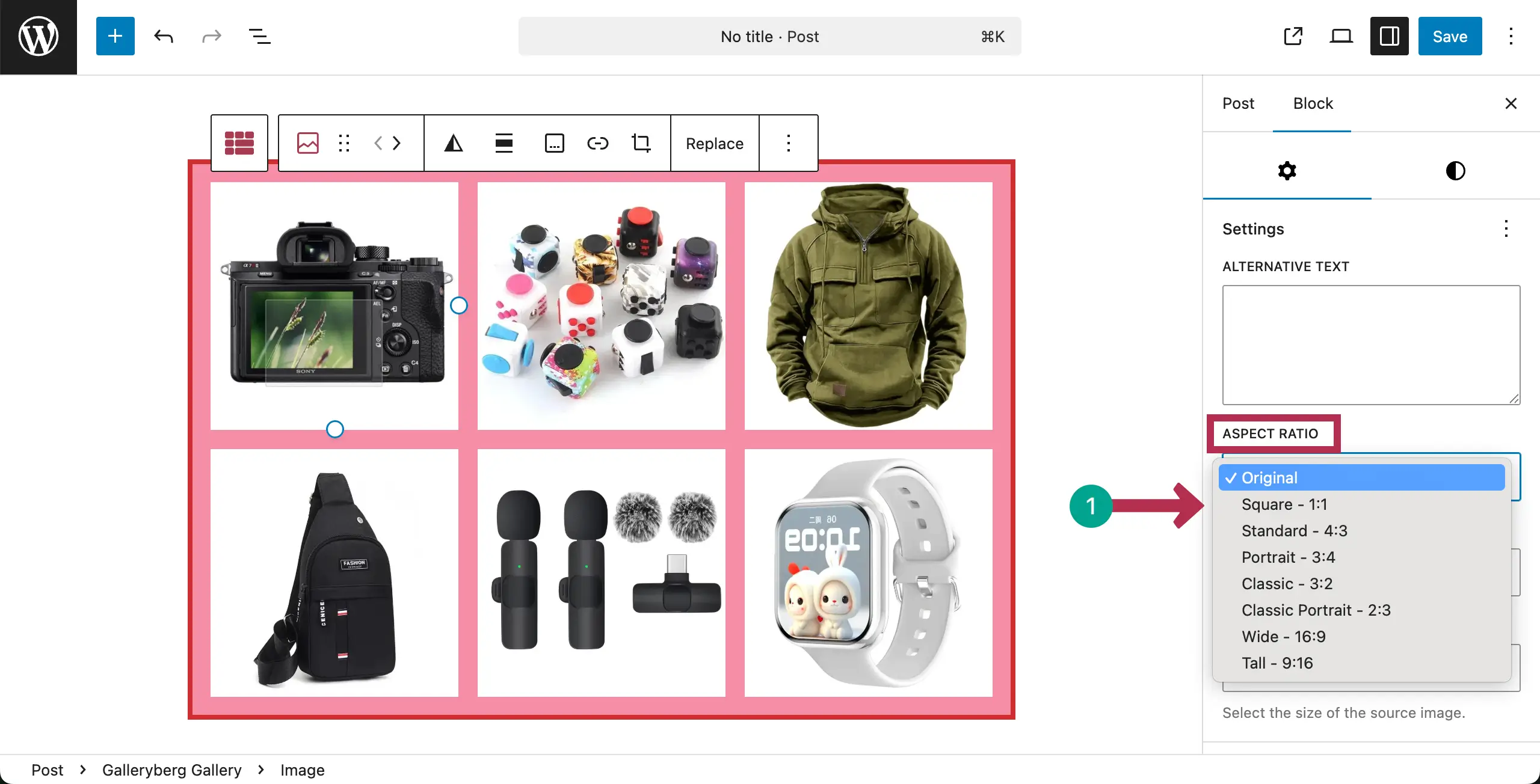
In the same way, you can add aspect ratios for all the images one by one.
Conclusion #
Hope you have found this documentation post helpful. Now, it’s your turn to choose suitable aspect ratios that match your image style. Keep the same ratio across the gallery. Avoid stretching images.
Finally, check how images look on different screens. Because, without proper aspect ratio settings, you can’t maintain image quality and visual balance.


