
Sometimes you may want visitors to click an image in your gallery and open another page or URL. Galleryberg allows you to add links to individual gallery images directly from the block toolbar.
This guide will show you how to add links to gallery images in just a few steps.
Add a Link to a Gallery Image #
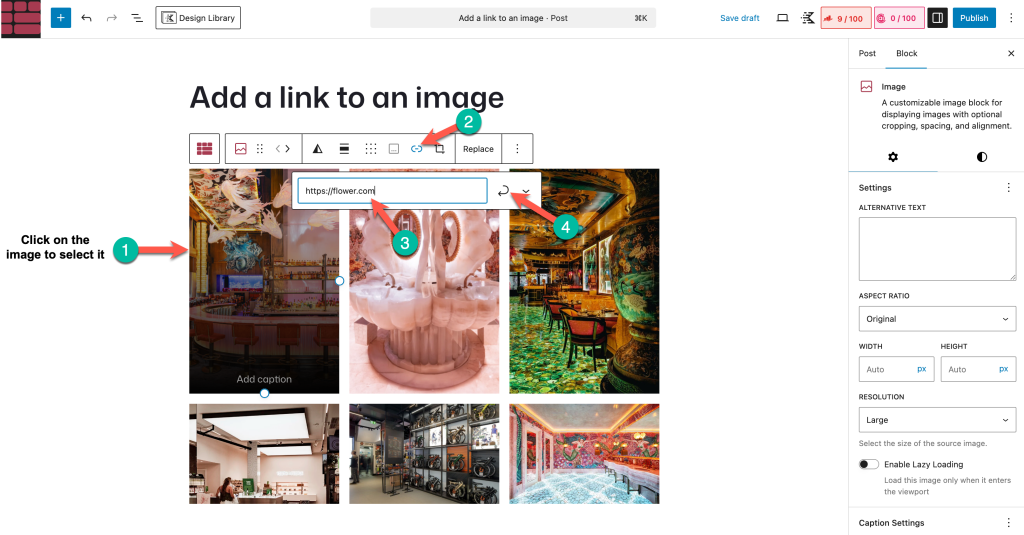
To add a link to an image inside your gallery:
- Click on the image inside the gallery to select it.
- From the toolbar, click the Link icon.
- Paste or type the URL you want the image to link to.
- Click the Apply icon to save the link.
Important Note About Lightbox #
If the Lightbox option is enabled, the image link will not work. This happens because the lightbox opens the image instead of the link.
To make image links work properly, you need to disable the Lightbox option from the Galleryberg block settings.


