
Get started with Galleryberg by installing and activating the plugin on your WordPress site.
Here’s how:
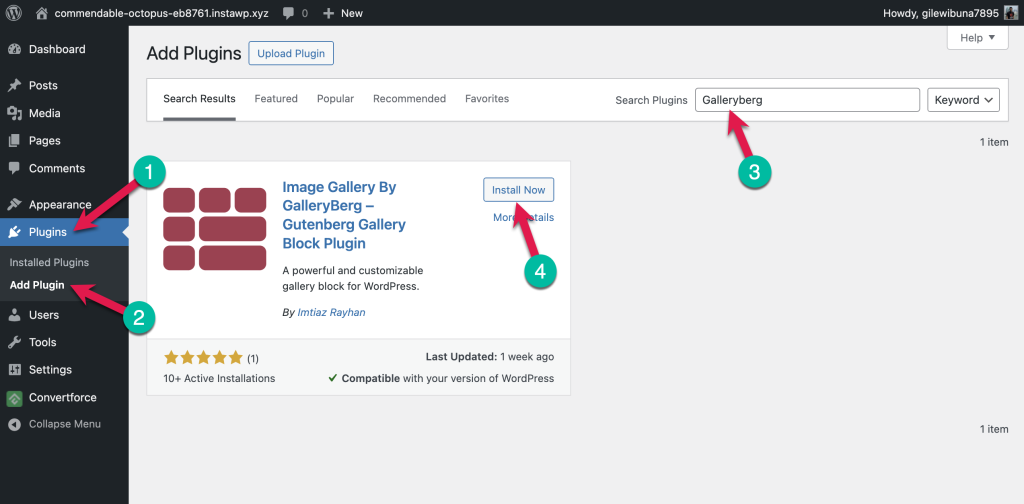
Install Galleryberg from the WordPress Plugin Directory #
- Go to your WordPress dashboard.
- Navigate to Plugins > Add New.
- In the search bar, type Galleryberg.
- Click Install Now on the Galleryberg plugin card.
- Once installed, click Activate.
(Alternative) Upload the Plugin Manually #
- Download the Galleryberg plugin ZIP file from WordPress.org or the official site.
- Go to Plugins > Add New in your dashboard.
- Click the Upload Plugin button at the top.
- Select the ZIP file and click Install Now.
- Click Activate after installation.
That’s it!
Galleryberg is now ready to use. You can start adding beautiful galleries to your posts and pages.


