


When you visit a professional website, whether it’s an agency, product, service, or portfolio portal, you often see logos of brands, partners, and clients displayed in a section. It has become a standard feature for modern websites today.
This section is created to build trust and credibility with visitors, especially with new visitors. Because it sends a strong message that the business is trusted by others. It works as social proof and makes others confident in decision-making.
But without the right logo showcase plugin, you can’t create this section easily in a responsive way. In this blog post, we’ll comprehensively discuss the best logo showcase WordPress plugins, so you can choose the right one for your site.
Must-Have Features in a Logo Showcase WordPress Plugin
Just showcasing logos is not always enough. Depending on your website’s style and content type, you may need different types of customization options and functionalities. So, below are the features your logo showcase plugin must have. Take a quick look at them.
Multiple Layout Options
A good logo showcase plugin should offer multiple layout styles, such as grid, carousel, slider, or list. This gives you the flexibility to choose the style that suits your respective web section to engage users.
Responsive Design
On a desktop, you may show more logo columns, like five in a row. But on mobile, you may show a maximum of two. So, your logo showcase plugin must offer this kind of column control. Without it, your logo section won’t be mobile responsive.
Styling and Design Control
You should be able to match the logo section with your website’s design. So, it must allow you custom styling options like spacing, border, background color, hover effects, padding, margin, and more.
Carousel and Slider Support
If you have a large number of logos, using a carousel or slider, you can display them in a compact space. On top of that, it can add an interactive vibe and increase user sessions on the website.
Animation and Hover Effects
Subtle animations or hover effects can make your logo section look more interactive. Features like fade-in, zoom, grayscale to color on hover, or tooltip display can enhance user experience without affecting page speed.
Best Logo Showcase WordPress Plugins
In addition to dedicated logo showcase plugins, you’ll also find many multipurpose tools that let you display logos along with other types of content. In this section, we’ll explore a mix of both types of plugins. Let’s get started!
1. Logo Showcase Ultimate Pro
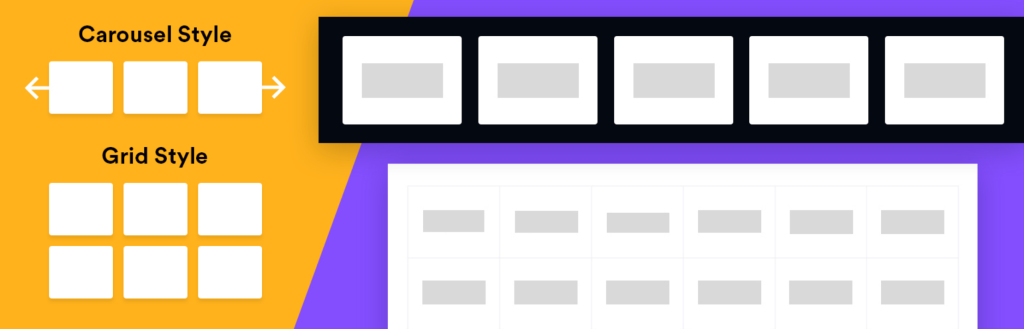
Logo Showcase Ultimate Pro is a versatile WordPress plugin designed to help you display client logos, brand partners, sponsors, or featured collaborators. With its auto-generated shortcode system, users can instantly create responsive logo grids or dynamic sliders without writing code.
It includes a rich library of modern themes, flexible display controls, and strong customization options, making it ideal for agencies, service providers, and portfolio-based websites. Fully responsive and performance-optimized, it ensures your logos look stunning across all devices.
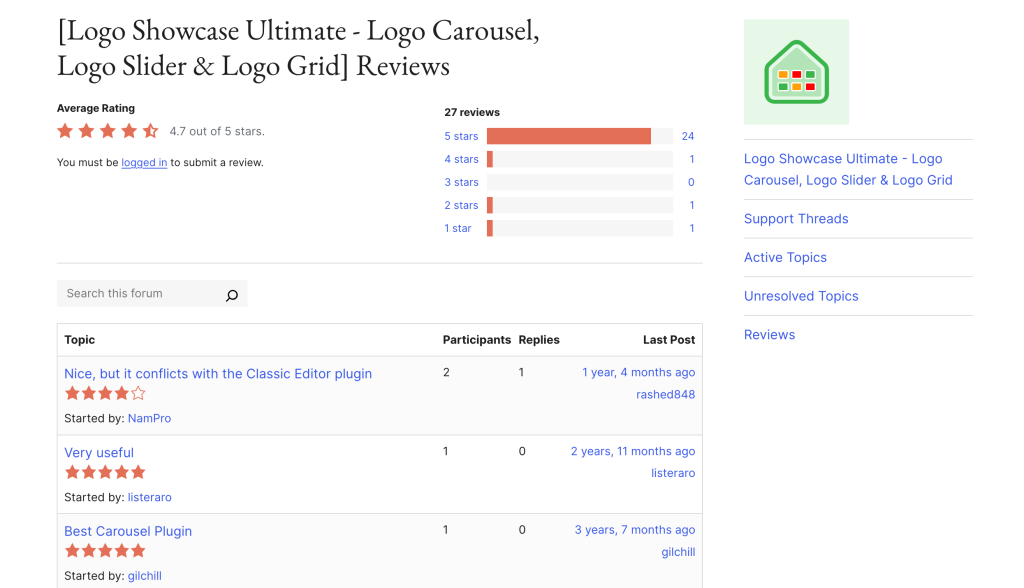
Key Features of Logo Showcase Ultimate Pro
Modern Grid & Carousel Themes: The plugin offers 24+ layout options, including 16 carousel themes and 8 grid themes, ensuring visually appealing displays that match any website design.
Shortcode-Based Setup: Place logo sliders or grids inside pages and posts using auto-generated shortcodes — simple, fast, and beginner-friendly.
Advanced Logo Display Filters: Showcase logos by: Category, Logo ID, Random order, Yearly segmentation, Latest or older published logos.
Responsive Controls & Navigation: Define the number of logos per slide, adjust responsive breakpoints, and allow touch/swipe navigation for mobile devices.
Extensive Customization: Customize title colors, font sizes, hover effects, tooltip position and styling, navigation arrows, backgrounds, and more — all without custom CSS.
Auto Image Resize & Cropping: Automatically resize and crop logo images to maintain uniformity across all uploaded logos, ensuring a cleaner layout.
Performance-Optimized: Enjoy autoplay, infinite loop, dynamic Ajax pagination, smooth transitions, and adjustable slider speed and direction for a seamless viewing experience.
Pros
-
Easy shortcode integration
-
Wide selection of modern grid and carousel layouts
-
Rich customization options
-
Strong responsive controls and mobile-friendly features
Cons
-
Feature-rich interface may overwhelm beginners
-
Auto-cropping may need adjustments for irregular logo shapes
2. WP Logo Showcase Responsive Slider and Carousel
WP Logo Showcase Responsive Slider and Carousel is a well-known plugin in this niche. It offers simple ways to showcase your logos in a grid or carousel format. The plugin is equally compatible with the Gutenberg block editor and popular page builders, like Elementor, Divi, and Beaver Builder.
It’s lightweight and built with SEO-friendliness in mind. Its flexibility and customization options let you create multiple logo carousels with unique settings for each. You can display logos both in horizontal and vertical slider layouts.
Key features of WP Logo Showcase Responsive Slider and Carousle
Category-Based Display: You can organize and display logos by categories with the shortcode [logoshowcase cat_id=”category_ID”]. So, you can show a specific group of logos on different pages as required.
Lazy Load Option: Hope you already know what the Lazy Load option is. By using this shortcode [logoshowcase lazyload=”ondemand”], you can optimize website performance by loading images only when they are needed.
Link and Title Customization: You can add internal or external links to logos with options to open in a new or the same tab.
Image Size and Max Height Control: You can set logo image sizes and maximum height to ensure consistency across different logo dimensions.
Control Options: Not only can you control the slider speed, but it also enables users to explore slides by paginating and using arrows manually.
Pros
-
Shortcode integration
-
Easy to change orders
-
Set the number of logos slides
Cons
-
Often conflicts with themes
-
Documentation needs updates
Pricing of WP Logo Showcase Responsive Slider and Carousle
The plugin has a free version available. Its premium version starts from $59/year.
3. Ultimate Blocks
Ultimate Blocks is a multipurpose WordPress plugin with 25+ custom blocks. It includes a dedicated Image Slider block that can be used to display logos. Beyond that, it offers a comprehensive toolkit that includes buttons, ratings, reviews, timelines, accordions, testimonials, tabbed content, and more blocks.
Using them, you can create more interactive content that can accompany the image slider block and make it more meaningful. For example, you can display multiple logo sliders in the same section using the Tabbed Content block, with each slider under a different category.

Key features of Ultimate Blocks
Customizable Naviga