

Choosing the right gallery plugin for Gutenberg can feel confusing. There are many options, and each one claims to be the best. Two popular names you may hear often are Spectra Image Gallery and Galleryberg. Both help show images in a clean and modern way. But they work in different styles and serve different user needs.
If you are thinking of choosing the right plugin between them for your website, but are worried because you don’t have enough information at hand, this blog post is for you. Here, you’ll learn everything in detail about Spectra Image Gallery vs Galleryberg. This will be an extensive comparison post.
We’ll dive into each of their key features so you can decide which one should be right for you. So, let’s get started without further delay.
What Is Spectra Image Gallery?
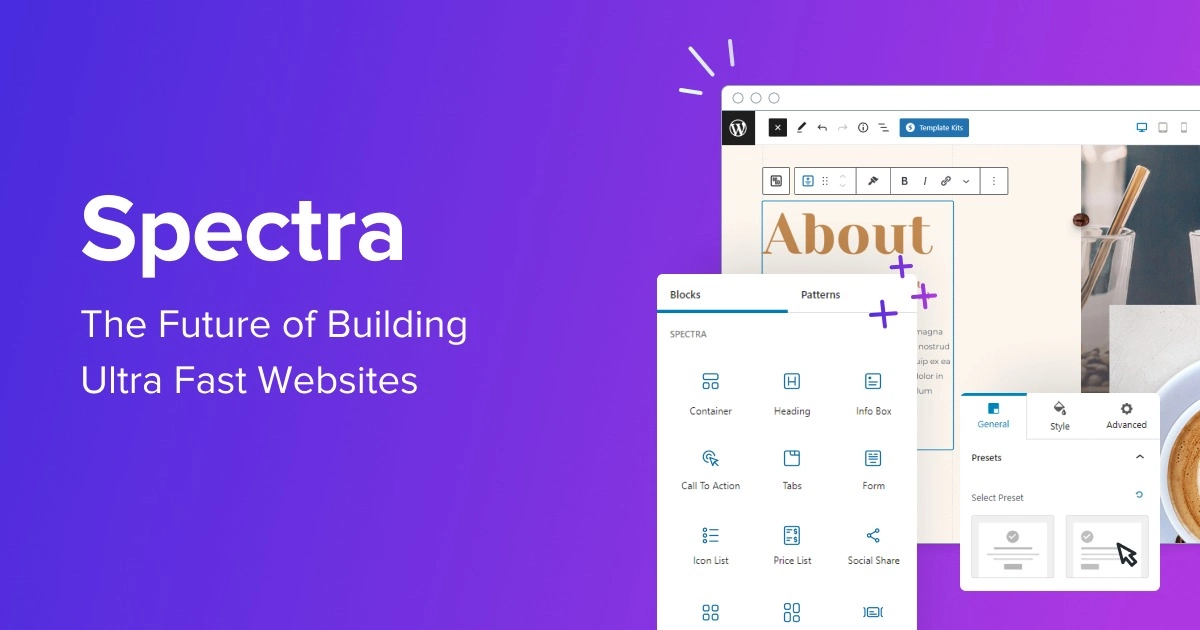
Spectra Image Gallery is an image gallery block of the Spectra blocks plugin. With the plugin, you can build full pages using sections, buttons, grids, testimonials, and other blocks. The Image Gallery block lets you create different types of gallery layouts, like Grid, Masonry, or Tiled, directly on the editor.
You can add borders, shadows, hover effects, and simple image filters like grayscale or brightness. It includes a built-in lightbox so visitors can open images in a larger view. You can manage captions and organize images easily. So, you do not need to spend time on deep settings or advanced controls.
Core characteristics of the Spectra Image Gallery:
- Offers multiple layouts like Grid, Masonry, Carousel, and Tiles
- You can control columns and spacing for different screen sizes
- Includes a built-in lightbox to show larger images in a clean popup view
- Allows captions to appear as overlays or bars and show on hover.
- Supports hover effects, borders, and box shadows for better visuals.
- Uses clean and lightweight code for fast loading and SEO benefits.
What Is Galleryberg?
Galleryberg is a dedicated Gutenberg gallery plugin made only for image galleries. It does not include extra blocks like buttons or sections. Instead, it focuses fully on how galleries look and work in WordPress. This makes it a strong choice for users who want better image display without adding a large block library.
Galleryberg is built for websites where images matter a lot. It offers advanced layout options and responsive controls for different screen sizes. You can manage captions in several styles and control when they appear. It also comes with a gallery-focused lightbox that improves the viewing experience and keeps visitors engaged.
Core characteristics of Galleryberg
- Offers modern layouts like Tiles, Square, Masonry, Justified, and more
- Includes a built-in responsive lightbox with zoom, swipe, and keyboard support
- You can set different column numbers for different screen sizes
- Provides advanced caption styles with flexible positions and hover control
- Uses a performance-focused structure with minimal scripts for fast loading
- Comes with accessibility support using ARIA labels and keyboard navigation.
- Allows individual image styling like borders, rounded corners, ratios, and filters.
Spectra Image Gallery vs Galleryberg: Key Feature Comparison
In this section, we will list and discuss a comparative analysis of the key features of Spectra Image Gallery and Galleryberg. This side-by-side comparison will help you clearly understand the strengths and limits of both gallery plugins. Keep reading it to the end. Hope you will benefit.
1. Gallery Focus: General-Purpose vs Gallery-First
This section explains how both plugins think about galleries in very different ways. Here is what they think about the gallery.

Spectra Image Gallery
Spectra Image Gallery treats the gallery as a supporting element, not the main focus. It lives inside a large block library of the plugin made for full-page building. For example, you can place a gallery between paragraphs, next to buttons, or inside a content section without breaking the design flow.
However, Spectra does not go very deep into gallery-specific behavior. So, this is good for most users, but it can feel limiting if images are the main attraction. Advanced caption animations, detailed lightbox behavior, or photography-focused interactions are not the core goal here.
Galleryberg
Galleryberg treats the gallery as the main product and the center of attention. It is built only for image display, not for general page building. Every feature is designed with one question in mind – how to show images in the best possible. It offers deep and detailed controls without adding unnecessary blocks or tools.
Layouts like justified galleries keep image ratios natural and visually pleasing. The built-in GLightbox feels professional and smooth. Caption behavior, spacing, and interactions are all designed for visual storytelling. Instead of being a general tool, it focuses on users who want their images to do the talking.
Key difference –
For Spectra, the gallery is simply a design element, while Galleryberg treats it as the main feature.
2. Gallery Layout & Responsive Control
This section looks at how Spectra Image Gallery and Galleryberg handle gallery layouts and responsiveness. It will show which plugin gives more control over how images appear on different devices.

Spectra Image Gallery
Spectra Image Gallery uses a simple and standardized grid system for layouts. It offers basic options like Grid, Masonry, and Carousel, which are enough for most blogs, business sites, or general pages. You can adjust columns and spacing for desktop, tablet, and mobile.
But the changes are limited by the broader Spectra framework. On some unusual screen sizes, the transitions between devices can feel slightly rigid, and images may stack in ways you don’t expect.
Galleryberg
Galleryberg gives much more control over layouts and responsiveness. It allows you to set exact column numbers for desktop, tablet, and mobile, so every image fits perfectly on screens. Beyond basic grids, it offers advanced layouts like Justified, Mosaic, Masonry, Tiles, and Square to handle different image ratios.
This can prevent awkward gaps. You can also adjust gutters, padding, and image height to keep the gallery visually balanced, whether someone is viewing on a large desktop or a small smartphone. This makes Galleryberg ideal for pixel-perfect image presentation and precise control over responsive behavior.
Key difference –
Spectra provides reliable, easy-to-use layouts that work well for general pages, while Galleryberg focuses on precise, responsive design for pixel-perfect results. Learn how to create a responsive image gallery in WordPress.
3. Caption Options & Text Visibility
This section compares how Spectra Image Gallery and Galleryberg handle captions and text visibility. It will show which plugin gives more control over style, position, and when captions appear.

Spectra Image Gallery
Spectra treats captions as a simple and functional layer for basic information. It offers two main styles. They are a light overlay covering part of the image and a bar at the bottom. You can choose to show captions at all times or only on hover.
You can also adjust the typography color. However, the style will always stay minimal and unobtrusive. This approach works well for portfolios, product grids, or any gallery where the text is only informational and shouldn’t be distracted from the images.
Galleryberg
Galleryberg makes captions a central part of the gallery design. You can position captions as full overlays, bottom bars, or even entirely below the image. Hover effects, background opacity, and text alignment can be customized for a more polished and professional feel.
The plugin also manages long captions neatly, preventing overflow or broken layouts. This makes it ideal for photographers or websites that need detailed context, image credits, or creative text presentation.
Key difference –
Spectra keeps captions functional and subtle, while Galleryberg treats captions as a design element, giving more style and flexibility options.
Learn how to create a lookbook-style image gallery in WordPress.
4. Lightbox Experience
A lightbox is a feature that opens images in a larger popup overlay on the screen so people can view them without leaving the page. Let’s explore which plugin gives you a better lightbox experience.

Spectra Image Gallery
In Spectra, the lightbox is treated more like a utility than a core feature. It provides a clean popup that enlarges images, but the focus is on simplicity and compatibility with the rest of the Spectra block ecosystem. The options for customizing the lightbox are intentionally limited.
For example, you can’t deeply control how captions appear in the enlarged view or adjust the style of navigation arrows and close buttons. It works best for websites where visitors just need to see a bigger version of an image without distractions.
Galleryberg
Galleryberg, in contrast, positions the lightbox as a central, immersive feature of the gallery experience. It uses the professional GLightbox engine, which allows for a cinematic presentation of images. Every detail is customizable. You can adjust overlay opacity, transition effects, zoom functionality, swipe gestures on mobile, and caption visibility in full-screen mode.
This creates a smooth, visually polished experience from the moment someone clicks on an image to when they navigate through the gallery. Galleryberg ensures that viewers stay focused on the images. This makes it ideal for photographers, designers, or any site where visual storytelling is the core purpose.
Key difference –
Spectra provides a basic, functional lightbox for general use, while Galleryberg delivers a feature-rich lightbox experience. Check the best WordPress storytelling plugins for visual content.
5. Editing Experience in Gutenberg
The editing experience means how easy and smooth it feels to create, adjust, and manage the gallery inside the Gutenberg editor.
Spectra Image Gallery
Since it is part of a large block ecosystem, the gallery settings look and behave like other Spectra blocks. If you already know how to adjust spacing, colors, or typography in Spectra, you can edit the gallery without learning anything new. The interface feels clean and predictable.
However, this uniform design also means the gallery controls are more generic. When working with large galleries or many images, some settings can feel buried inside common panels. The editor is not designed specifically for heavy image management.
Galleryberg
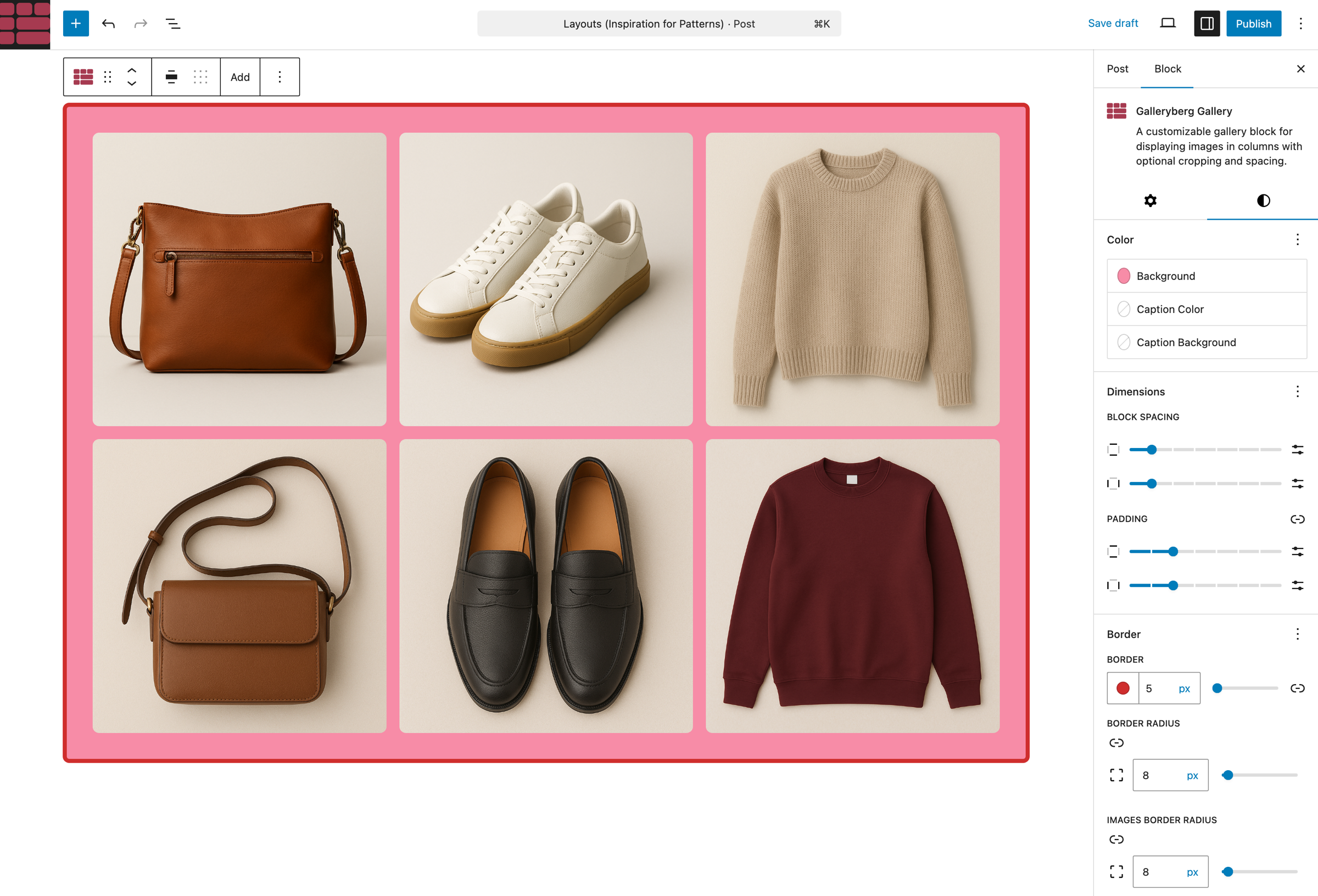
Galleryberg delivers a gallery-first editing experience inside Gutenberg. Settings are grouped logically around layouts, captions, responsiveness, and lightbox behavior. This makes it easier to understand what each option does and where to find it. You spend less time searching and more time adjusting how images behave.
For managing large or detailed galleries, this interface feels more powerful. The editing experience feels closer to a professional media tool rather than a standard Gutenberg block. Responsive controls, caption rules, and lightbox triggers are all easy to access. This makes Galleryberg more comfortable.
Key difference –
Spectra focuses on a consistent, general-purpose editing workflow across all blocks, while Galleryberg offers a gallery-specific interface designed for managing complex image layouts more efficiently.
6. Performance & Plugin Scope
Performance is not only about how fast a gallery loads. It is also about how much extra weight a plugin adds to your whole WordPress site. A plugin may look fast on the surface, but still load many features you do not need.

Spectra Image Gallery
Spectra includes more than 30 blocks, such as containers, call-to-action sections, buttons, and forms. The Image Gallery is only one small part of this large system.
Because Spectra is a multi-purpose tool, it works best when you plan to build most or all of your site using its blocks.
It uses a modular structure, so you can disable blocks you do not use. Even then, it still carries the footprint of a broad plugin designed to do many things. If your only need is an image gallery, Spectra can feel like too much for a single job.
Galleryberg
Galleryberg follows the opposite philosophy. It is a lightweight, single-purpose plugin built only for image galleries. It does not try to replace a page builder or add unrelated blocks. Instead, it focuses fully on gallery performance and display quality. Besides, it is built with speed in mind.
It uses server-side rendering and very clean, minimal code to keep image-heavy pages fast. Since it does not load scripts for features like forms or maps, it keeps a very small footprint on both the database and the front end.
Key difference –
Since Spectra is a big plugin, its footprint can slow down your site a bit, but it’s unlikely in the case of Galleryberg due to its lightweightness.
Explore the Kadence Gallery block vs Galleryberg.
7. Ideal Users: Use-Case Breakdown
Choosing between Spectra Image Gallery and Galleryberg often depends on the type of website you are building. A business-focused site and an image-heavy portfolio have different needs. This section explains which plugin fits which use case better.
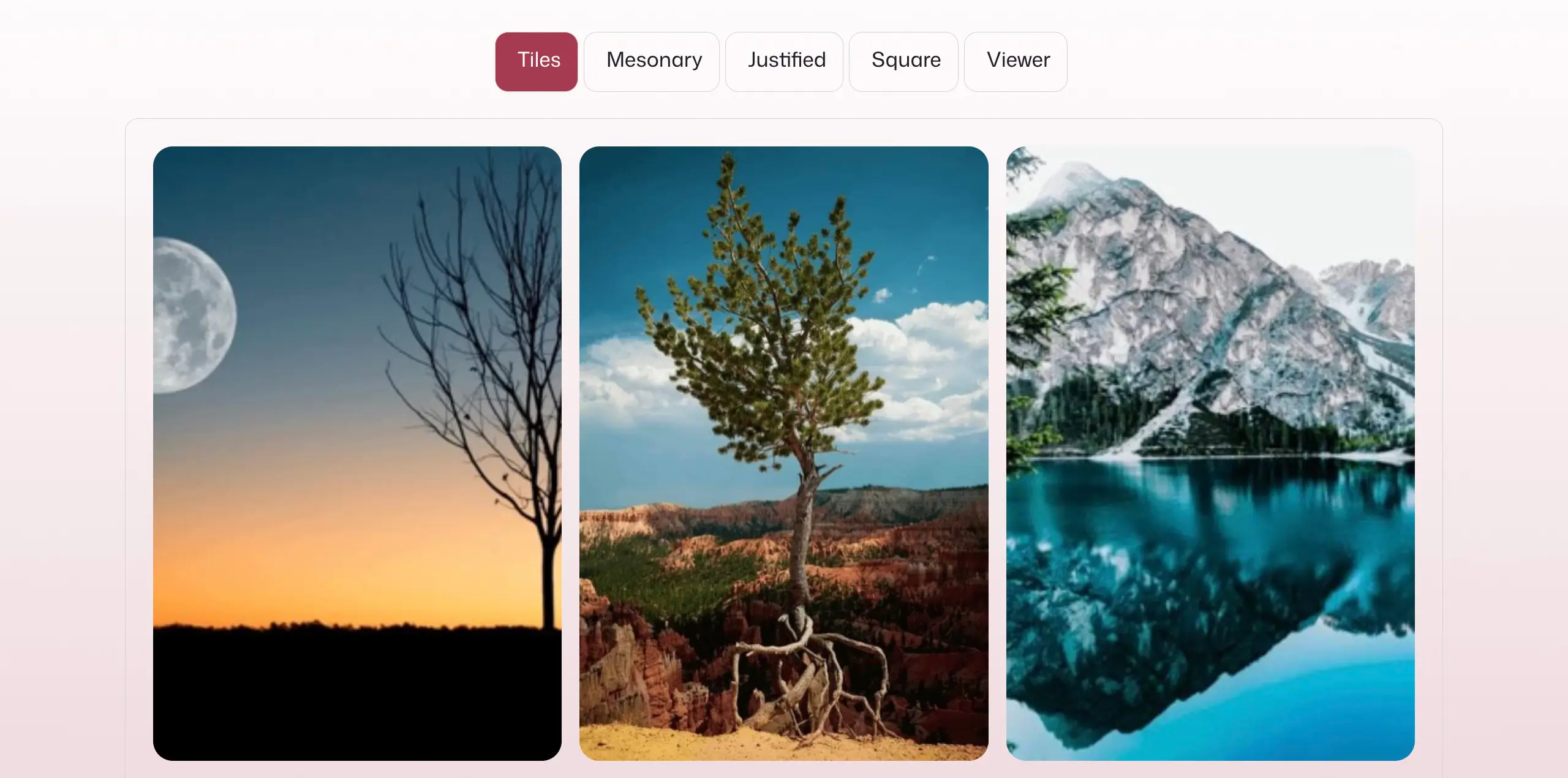
Best Use Cases for Spectra Image Gallery
Spectra Image Gallery is ideal for users who value convenience, speed, and design consistency. Since it is part of a larger block system, it works best when the gallery plays a supporting role rather than being the main focus. For example:
- Simple Business Websites: It is a good fit for simple business websites that need a basic ‘Our Work’ or ‘Meet the Team’ gallery without complex effects.
- Existing Spectra Users: Users who don’t love to install a separate plugin for creating simple galleries will really love Spectra.
- General Blogging: It works well when you only need a few images to break up text, and the default Gutenberg gallery feels too limited.
Best Use Cases for Galleryberg
Galleryberg is built for users who treat images as the core of their website and want to create visual storytelling. Some of its best usecases are:
- Photography Portfolios: With its advanced lightbox and cinematic transitions, it provides the ‘wow factor’ professional photographers need to showcase high-resolution work.
- Travel, Food, and Lifestyle Blogs: These niches rely heavily on ‘mood’ and ‘aesthetic’. Galleryberg can help you create a great visual journey.
- Editorial & Media Sites: For sites that feature multiple galleries per page, Galleryberg’s performance optimization ensures that the page remains fast even with lots of galleries and images.
- Visual Landing Pages: If you are building a product page where the imagery is the primary selling point, Galleryberg can work for pixel-perfect image presentation.
Key difference –
Spectra is best for general-purpose sites that need simple, integrated galleries, while Galleryberg is made for visual-centric projects that demand premium design control and high performance.
Feature Comparison Table: A Quick Snapshot Between Spectra and Galleryberg
Now, we’ll summarize the key differences between these two plugins in a table so you can have a quick overview at a single glance.
| Feature | Spectra Image Gallery | Galleryberg |
| Plugin focus | General blocks | Gallery-only |
| Layout control | ⚠️ Basic | ✅ Advanced |
| Responsive columns | ⚠️ Limited | ✅ Yes |
| Caption options | ⚠️ Basic | ✅ Advanced |
| Lightbox control | ⚠️ Minimal | ✅ Dedicated |
| Ideal user | General content creators | Gallery-focused creators |
Pricing & Availability
Both plugins have a free version and a premium version available with multiple pricing plans. Let’s explore them:
Spectra
Spectra has both annual and lifetime plans. Its minimum plan starts at $69/year with a 14-day money-back guarantee.
Galleryberg
Galleryberg currently has only lifetime plans. Its minimum plan starts at $49/lifetime with a 30-day money-back guarantee. Its annual plan may be introduced soon.
Frequently Asked Questions
Let’s now take a look at some frequently asked questions online about the plugin and the answers to them.
Is Galleryberg an alternative to Spectra Image Gallery?
Yes. Galleryberg is a focused alternative designed specifically for advanced image galleries.
Can I use Spectra and Galleryberg together?
Yes. They can coexist without conflict, as Galleryberg focuses only on galleries.
Which plugin is better for photography websites?
Galleryberg is generally the better option due to its gallery-first design and advanced controls.
Conclusions & Recommendations
Choosing between Spectra Image Gallery and Galleryberg depends on what role images play on your website. Both plugins are well built, but they solve different problems. One focuses on convenience and integration, while the other focuses on depth and visual presentation. Take a look at our last recommendations
Choose Spectra Image Gallery if:
- You want a simple gallery without installing another plugin
- Your site already relies heavily on Spectra blocks
- Galleries are not the primary focus of your site
Choose Galleryberg if
- Images are the central part of your content and storytelling
- Need better control over layouts, captions, and responsive behavior
- Want a polished, professional lightbox experience
Hope after reading out the entire post thoroughly, you are now able to make your decision on which plugin to choose for presenting the gallery build-up. If you have any question, kindly mention it in the comment box below.
Leave a Reply